
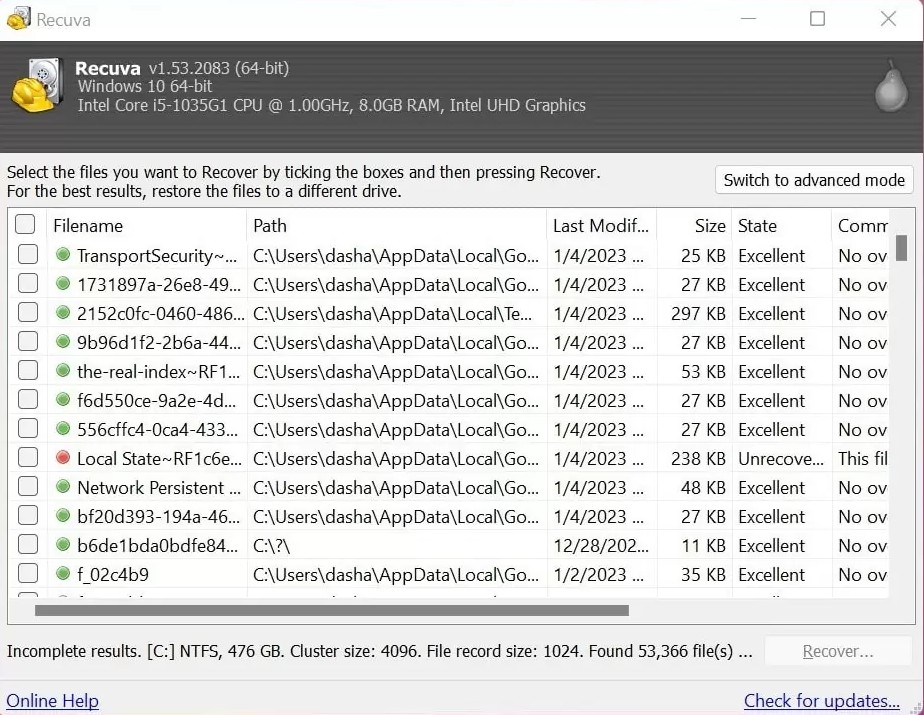
One of the most confusing outcomes in recovery is seeing a file “found” with a believable size—yet it opens corrupted, truncated, or with the wrong internal structure. That mismatch usually means one of two things: partial overwrite (some clusters were reused) or wrong reconstruction (the tool chained the wrong extents for a carved file).
This article gives a practical triage order: how to compare candidates, when hashes help, how to export in batches, and when to stop before you convince yourself that “more scanning” will fix a fundamentally missing byte run.
Symptoms that point to partial overwrite
Partial overwrites often show up as files that open but fail checks: Office repair prompts, broken ZIP central directories, videos that play then glitch, databases that refuse attach. If multiple candidates exist with similar sizes, you may be looking at one good chain and one damaged chain—not “random corruption.”
Wrong reconstruction: same extension, different guts
Carving finds headers. Two different files can share a type signature and still be unrelated. Use every clue you have: original path fragments, timestamps, and size proximity. If you know the original file was exactly 24,832,256 bytes, treat size as a strong filter before you export.
- Export 3–5 candidates, not 300—open them immediately.
- If you have a known-good hash from backup partials, compare
SHA-256on exported copies. - For ZIPs, test integrity with your archive tool before assuming the payload is complete.
Photo and video special cases
Some viewers tolerate partial JPEGs better than document tools tolerate partial Office XML. That can create false confidence. Try a second viewer and look for dimensions/metadata nonsense. For RAW workflows, prefer exporting the candidate that matches your camera’s typical size band for that shoot day.
When to stop and escalate
If the data underpins legal evidence, financial records, or patient information, stop improvising and follow your org’s forensic rules. If the disk is degrading, repeated scans can be actively harmful. Consumer guides are for everyday user mistakes—not every failure mode.